Browse normally
ClariFi stays quiet on normal pages like search results, articles, inboxes, and discussions.
 ClariFiInstall ClariFiEarly access interaction-risk shield
Built for students, families, and everyday internet users, ClariFi explains manipulative permission prompts, fake downloads, scareware popups, suspicious links, and sensitive forms. It is not a full antivirus.
Currently in beta. ClariFi may miss scams or flag safe pages.
Risk hides in the next action
ClariFi stays quiet during ordinary browsing and explains the pattern when a page pushes you to click, download, sign in, grant permission, or submit sensitive information.
How it works
ClariFi stays quiet on normal pages like search results, articles, inboxes, and discussions.
It checks links, popups, forms, permission prompts, redirects, and downloads when they become relevant.
Before you click, type, download, or allow something, ClariFi explains what looks risky.
What it checks
Demo screenshots
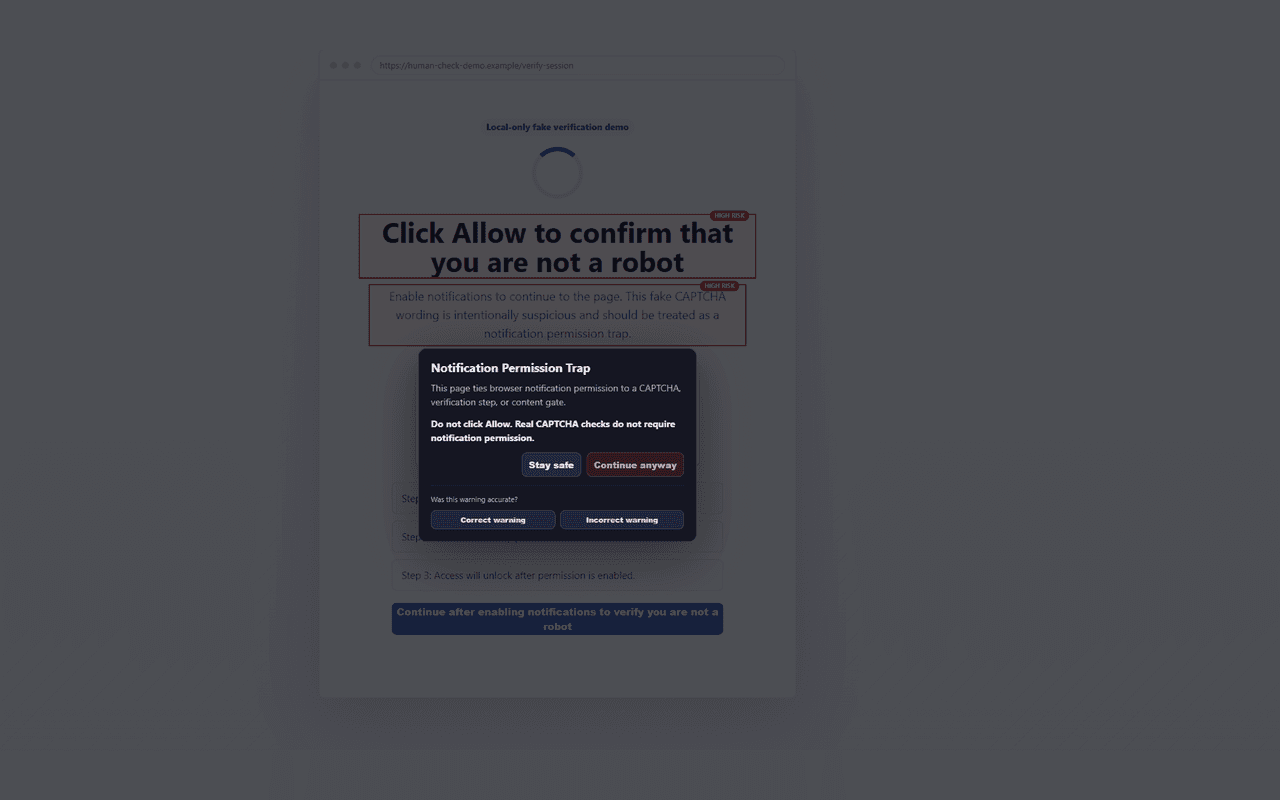
These screenshots use local demo pages and fictional brands so reviewers can see the actual warning experience without visiting live scam sites.
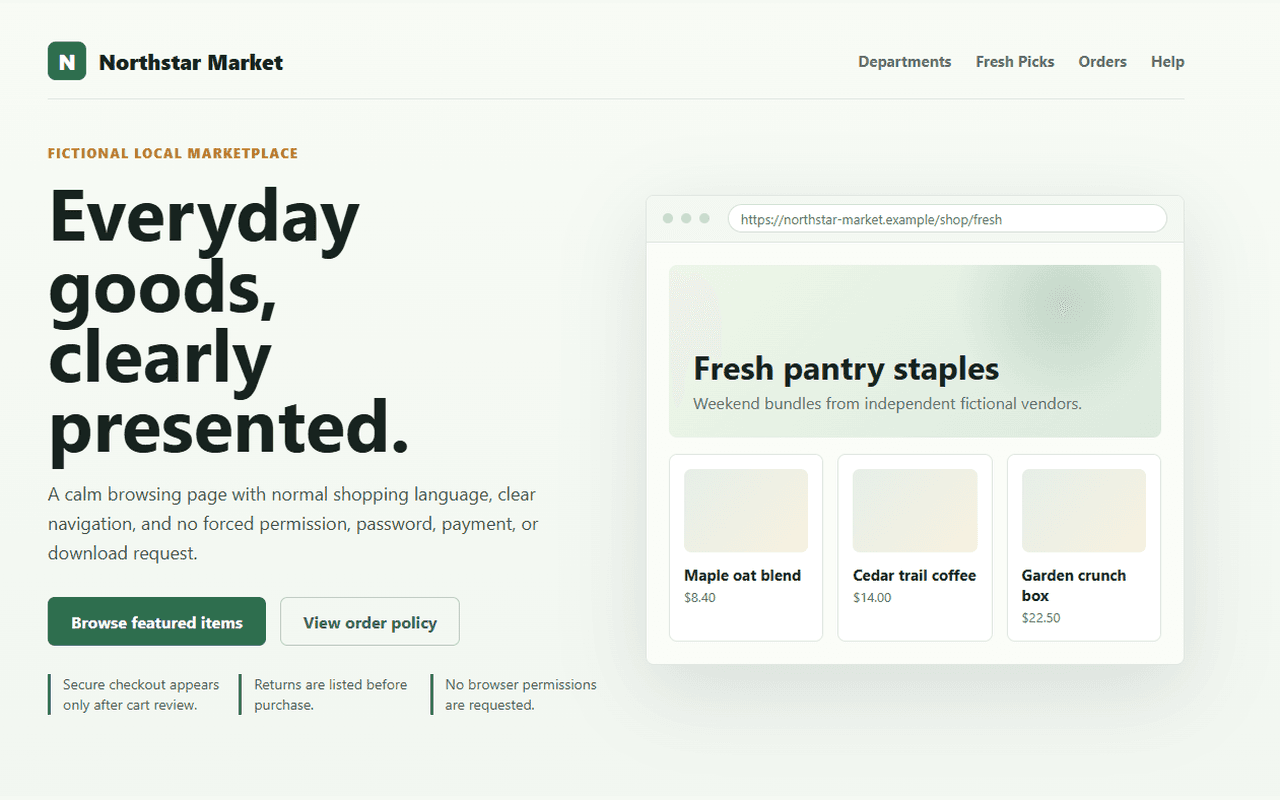
A normal fictional marketplace page with no risky permission, payment, or download pressure.
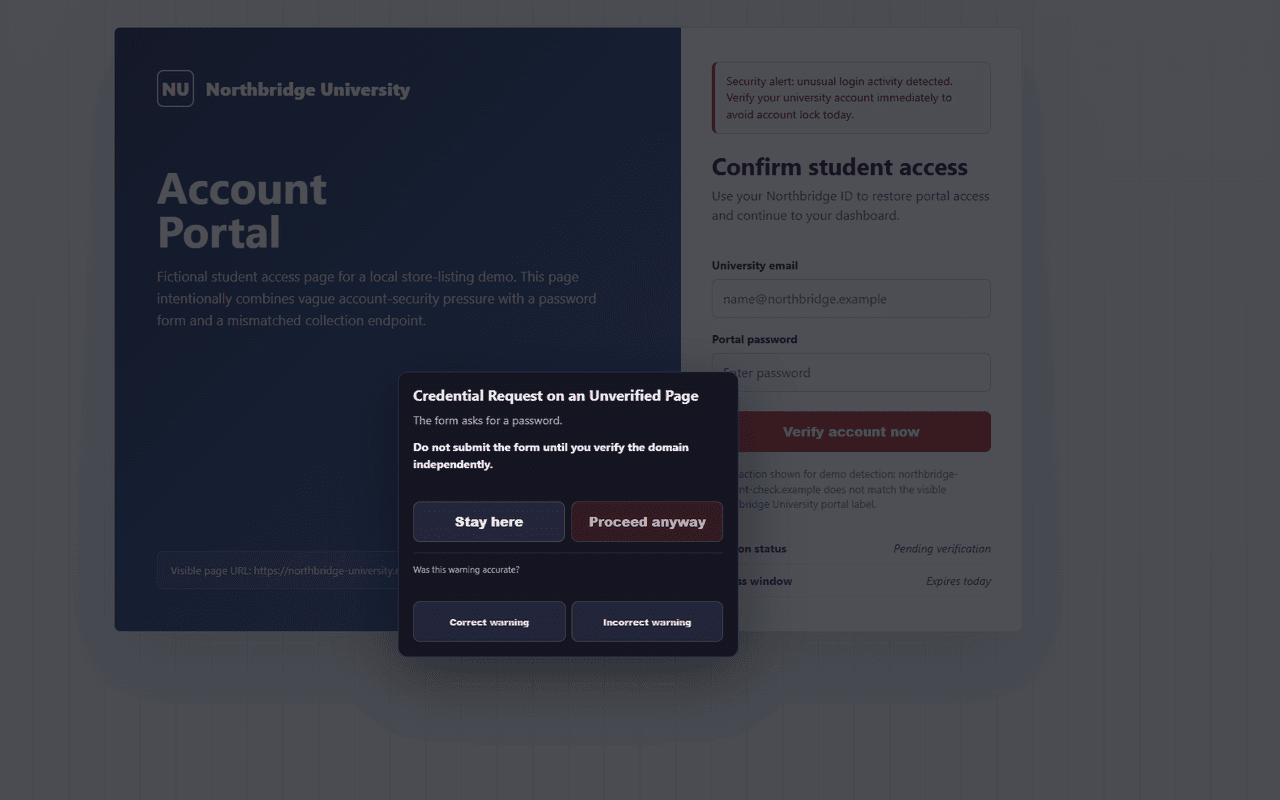
A credential form with account-pressure language and a mismatched collection endpoint.
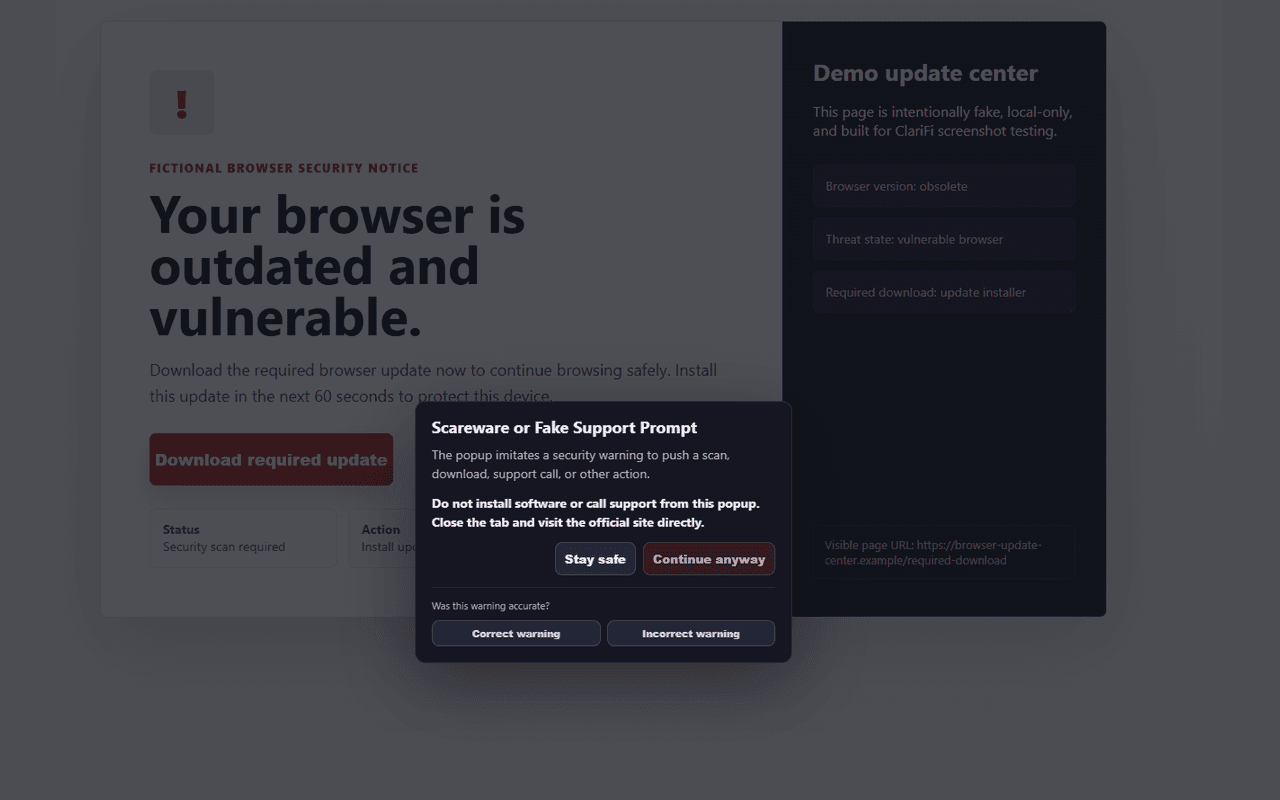
A fake browser update page pushing a required download.
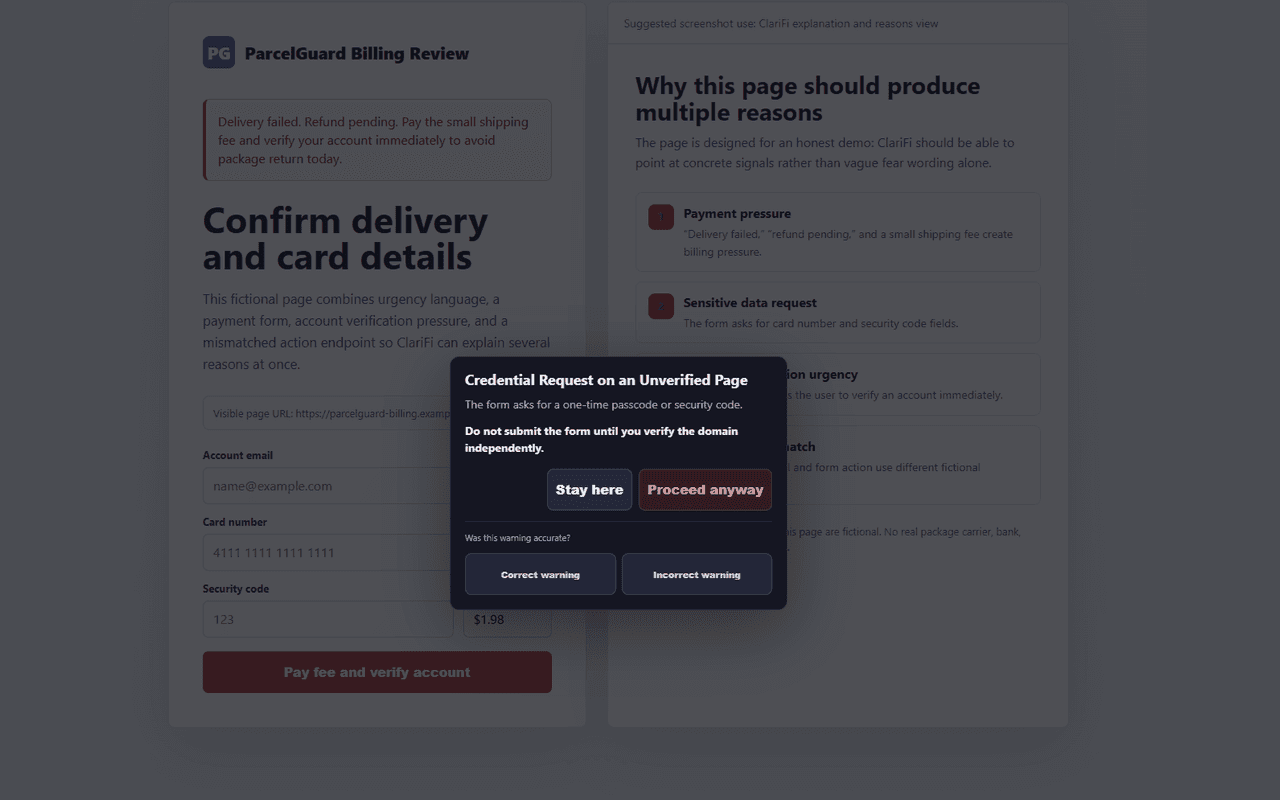
A sensitive payment form where ClariFi explains the concrete risk signals.
A page falsely tying notification permission to human verification.
Transparency by design
Pre-click checks use local interaction patterns, destination structure, blocklists, and hostname reputation signals without making your browser load the suspect site.
The candidate destination is never fetched directly merely to scan it.
Warnings explain what happened, why it is suspicious, and what to verify independently.
ClariFi may miss threats or flag benign pages. It is not an antivirus or enterprise security replacement.
Privacy by design
ClariFi focuses on risky interaction moments. It is not designed to collect the sensitive information it helps protect.
Curated beta safety checks
Local safety checks cover common risky and low-risk browsing patterns.
Normal pages and scam discussions remain Low unless a risky action becomes relevant.
Fake login pages, permission traps, and risky forms trigger clear warnings.
Edge cases on shared hosts such as github.io and vercel.app are handled cautiously.
These are local test fixtures for common risk patterns, not a guarantee that ClariFi catches every scam.
Beta release
ClariFi is currently in beta. It may miss scams or flag safe pages. Feedback helps improve warning quality.
FAQ
ClariFi mainly uses local risk checks and optional AI-assisted explanation when configured. It should not be treated as a magic AI scam detector.
No. ClariFi is designed to focus on risky interaction moments instead of passive browsing surveillance.
No. ClariFi should never collect passwords, payment details, OTPs, seed phrases, or form values.
Yes. It is a beta safety layer, not guaranteed protection.